

Fitness: Strava Integration Changes
Strava has introduced new requirements for organizations using the Strava integration with Funraisin. As a result, some existing integrations may need to be updated to ensure fundraisers can continue connecting their Strava accounts and syncing activity.
This article explains the changes, who is affected, and the steps required to update an existing Strava integration.
Important: Strava has not published a final deadline for existing integrations to be updated. However, the new subscription requirements are already affecting some existing Strava integrations. To avoid disruption to fundraisers connecting their Strava accounts and syncing activity, Funraisin recommends completing the required updates as soon as possible.
Tip! This article is for organizations with an existing Strava integration. If you are setting up Strava for the first time, refer to the Fitness: Connecting Strava support article for the complete setup process.
What has changed?
Strava has introduced a new subscription requirement for organizations using its API.
Previously, a Strava API application could be created and used without a paid subscription. A paid Strava subscription is now required to continue using the Strava integration with Funraisin.
Because of this change, organizations with an existing Strava integration will need to review and update their Strava configuration to meet Strava's new requirements.
Who is affected?
This change affects organizations that have already configured the Strava integration on their Funraisin platform.
Organizations using the Strava integration should follow the steps in this article to update their existing Strava configuration.
If the Strava integration has not yet been set up, follow the Fitness: Connecting Strava support article instead.
Updating an existing Strava integration
To continue using the Strava integration with Funraisin, organizations with an existing Strava integration will need to update their Strava configuration to meet Strava's latest requirements.
Before getting started:
- Only one paid Strava subscription is typically required per organization.
- For organizations with multiple Funraisin platforms, the same subscription can usually be used across multiple platforms, depending on how the Strava API applications are configured.
- The paid Strava subscription must be purchased using the same Strava account that owns the existing Strava API application.
- Strava subscriptions are available in most countries, with pricing varying by region and currency.
- If unsure which setup is right for the organization, contact the Funraisin Support team before subscribing.
To update an existing Strava integration, complete the following steps:
- 1
- Log in to the Strava account that owns the existing Strava API application.
- 2
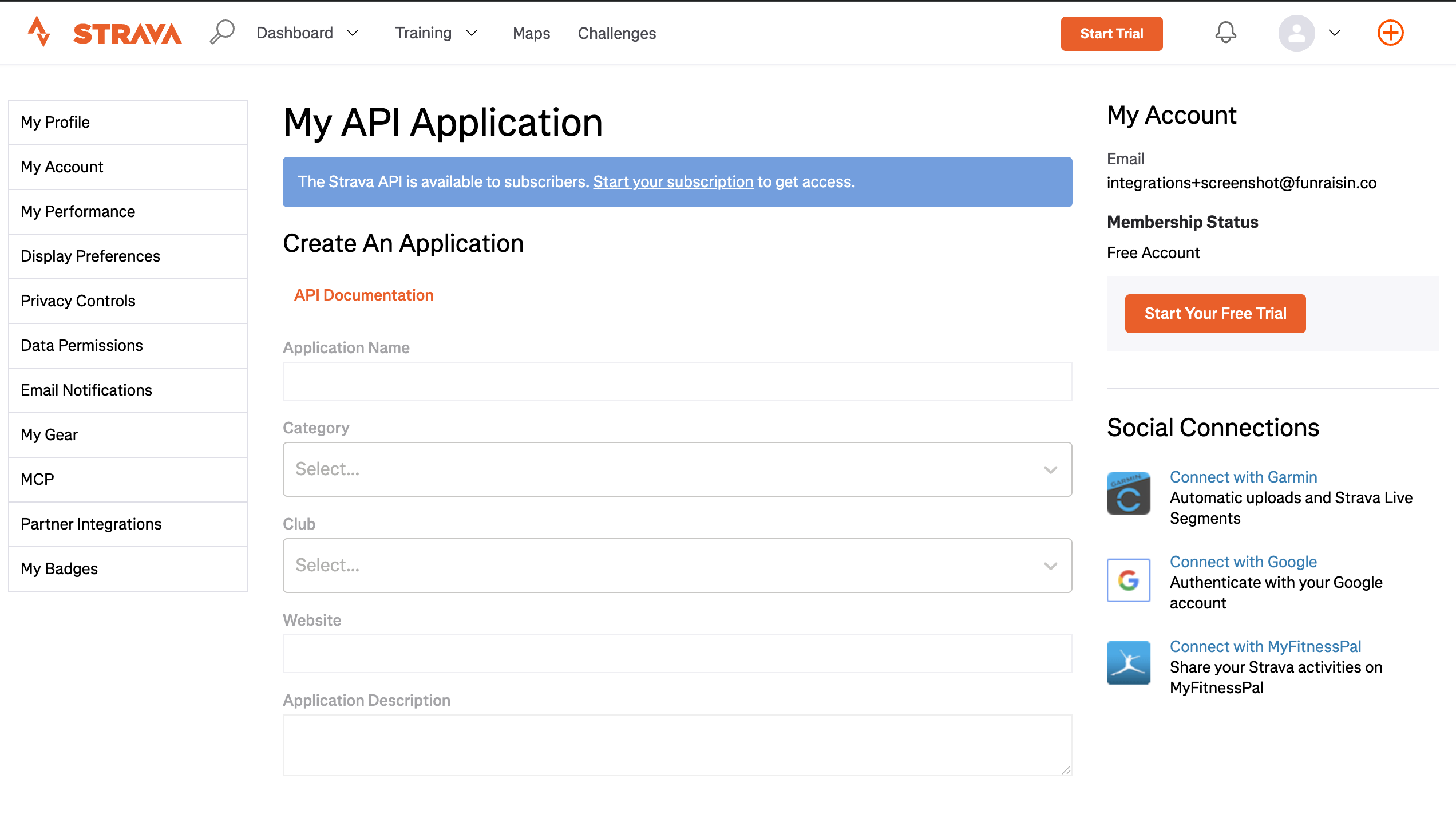
- Navigate to https://www.strava.com/settings/api.
- 3
- Click the blue banner to be taken to the Strava subscription page.
- 4
- Purchase a paid Individual Subscription.
- 5
- Return to the Strava API settings page and complete any additional steps required by Strava to update the existing Strava API application.
Frequently asked questions
Do I need to make any changes in Funraisin?
No. This update only affects the Strava configuration. Existing Strava settings within the Funraisin platform do not need to be changed.
Do fundraisers need a paid Strava subscription?
No. The paid Strava subscription is only required for the organization that owns the Strava API application. Fundraisers can continue connecting their personal Strava accounts as normal.
We have multiple Funraisin platforms. Do we need a paid Strava subscription for each one?
No. In most cases, only one paid Strava subscription is required per organization. The same subscription can usually be used across multiple Funraisin platforms, depending on how the Strava API applications are configured.
Which Strava subscription should be selected?
Select the Individual Subscription. Subscription pricing varies by country and currency.
What happens if the Strava integration isn't updated?
Organizations using an existing Strava integration will need to update their Strava configuration to meet Strava's new requirements. Until the required updates are completed, fundraisers may be unable to connect their Strava accounts or sync activity data.
Still need help? Reach out to the Funraisin Support team by logging a ticket through the Support Module in your platform.
Last updated: 14 Aug 2026
